Employee Salary Pay Slip Download
How to Download Pay Slip?
Step-1: First, employee login on the official portal of MP Treasury.
Step-2: Again, click on 'HRMIS Home' option.
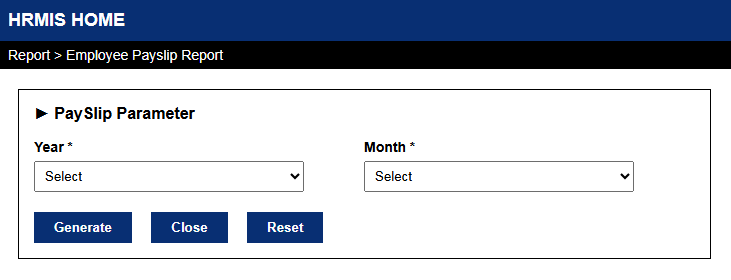
Step-3: Next, you can see the Report section and click on 'Employee Payslip Report' link.
Step-4: Select year and month of option, which you want to see.
Step-5: Now, click on Generate button, then you can see your Payslip.