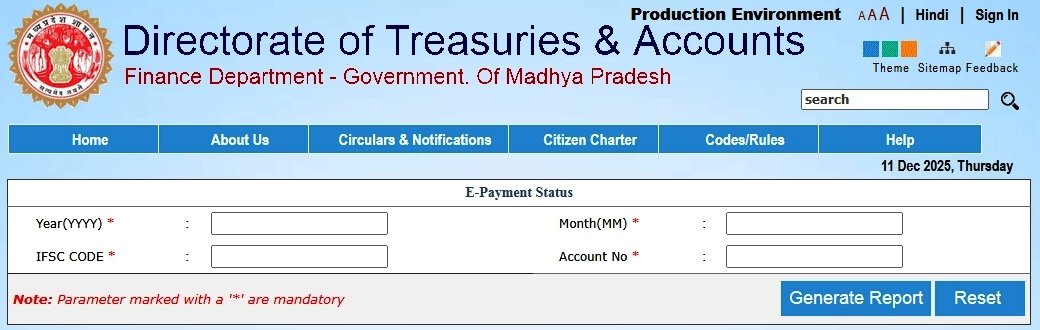
E-Payment Status Check
How to Payment Status Check?
Step-1: First, open the 'E-Payment Report Status' web page of MP Treasury portal.
Step-2: Again, enter year and month, which you want to see (like year 2024,2025,... and month 03,04,11,... etc.).
Step-3: Enter 'IFSC Code' and 'Account number' of your bank.
Step-4: Then, click on "Generate Report" button.
Step-5: Now, you can see your payment transaction details report.